Each session starts from everything
already done.
You already work through your agents. Alice.In keeps what you built, tried, decided, and the reasons why. It fills in while you work, so there's nothing to write up. Start something new and it's all there.
>make inspections open with no signal
alicein · briefed on the 6 that led here
- Aug 21Decision· Aug 21Inspections open from the copy on the phone. Replaces Mar 4.
- Jul 15Call· Jul 15Two crews lost their checklist in a plant room.
- Aug 19Tried· Aug 19Synced whole inspections. Phones froze past 3,000 edits.
- Sep 12Rule· Sep 12On sync.ts: never merge a whole inspection.
- Apr 2Research· Apr 2Plant rooms and lift shafts have no signal.
- Mar 18Positioning· Mar 18Sell to inspection firms, not single inspectors.
Building on the copy saved on the phone. Syncing whole inspections froze phones in August, so I’ll leave that out.
Ask anything
Ask any agent what happened.
Or don’t ask. Your agents start every task briefed, and look up the rest.
One decision, and what led to it
Project Map
Every card knows why it’s there.
Project management built on everything you’ve done with your agents. Each card links to what led to it, and your agents use the map as easily as you do. Drag one to the agent queue, then approve what comes back or send it back with fixes.
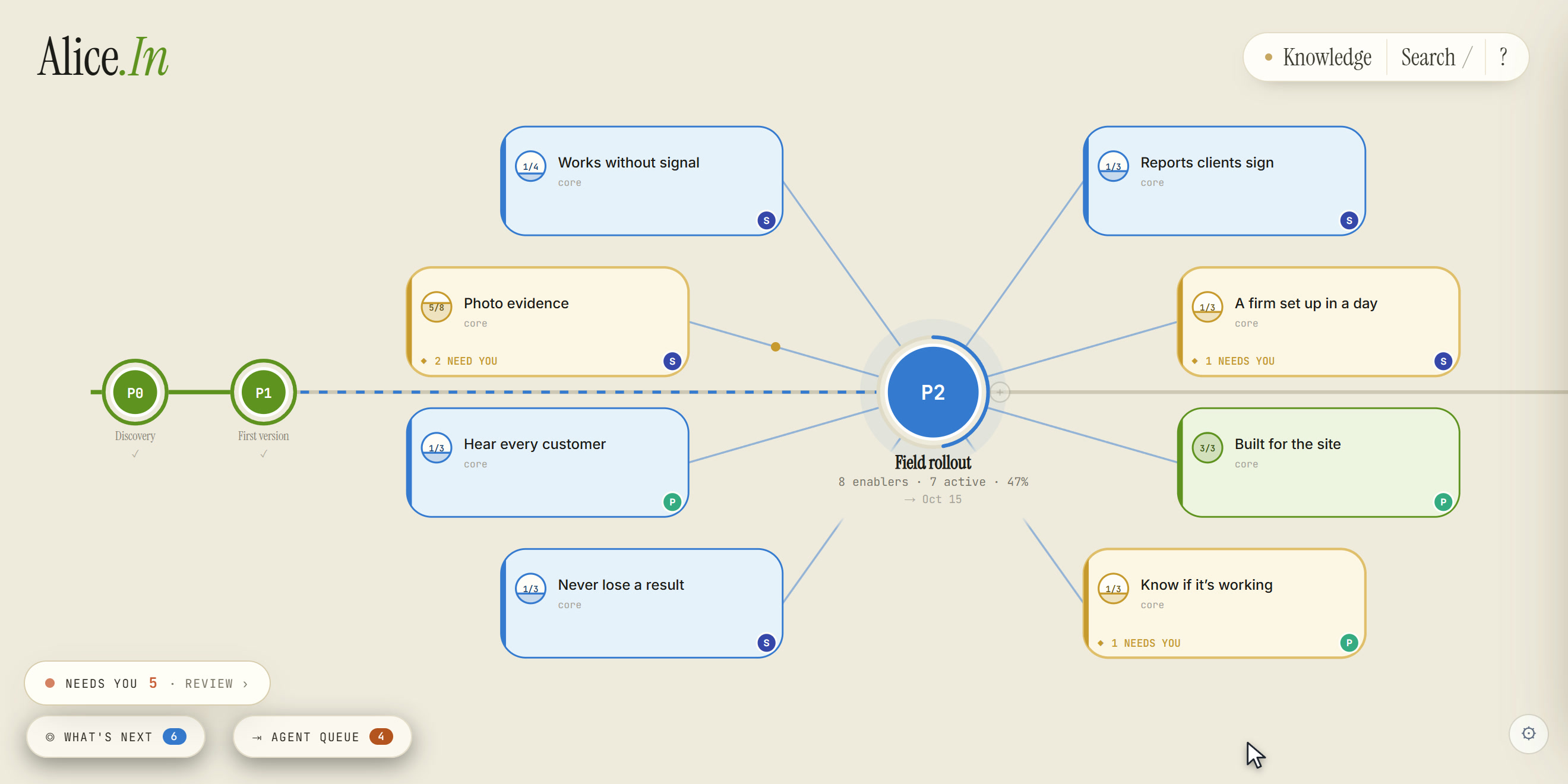
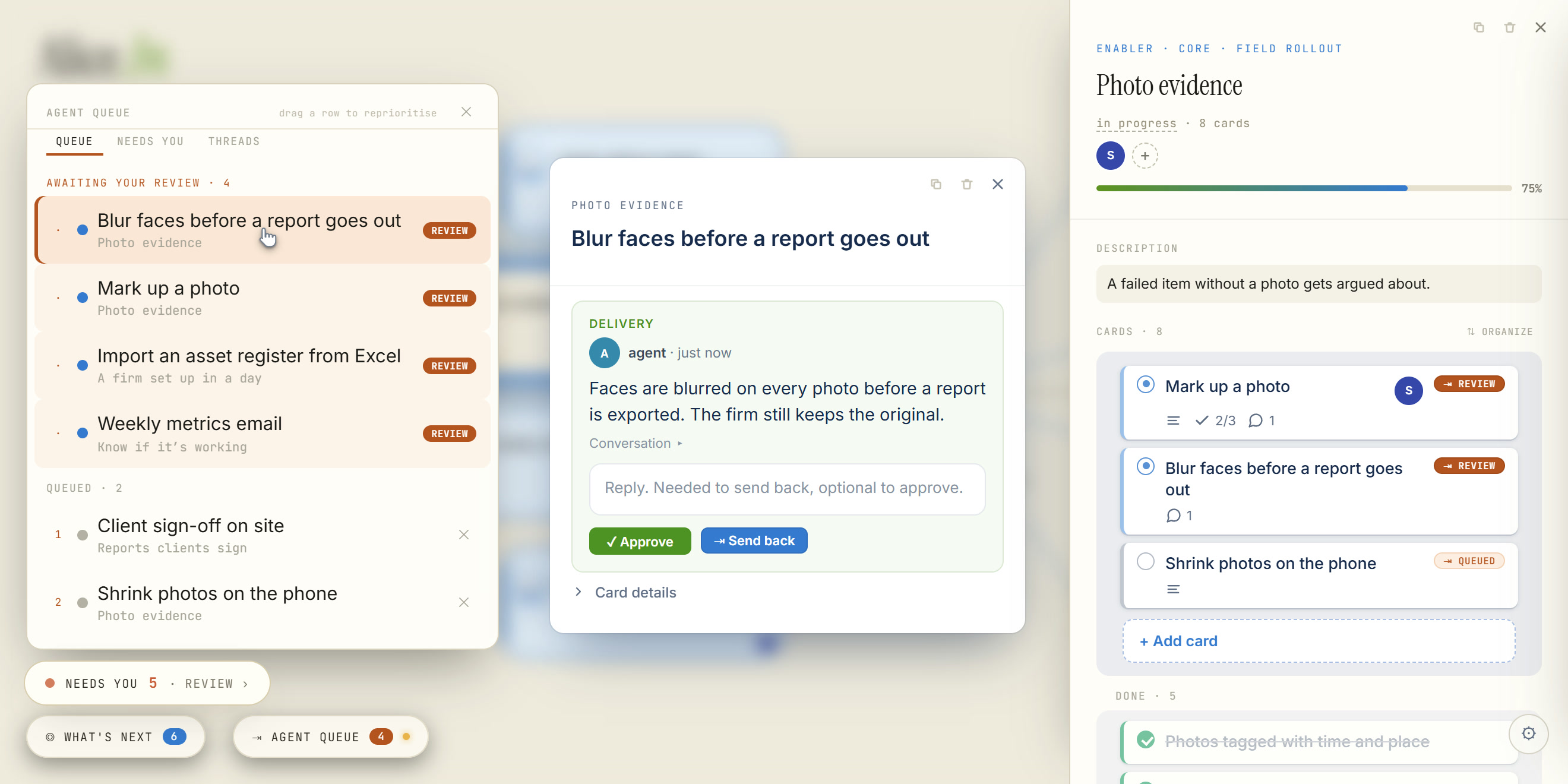
Already on Linear or Jira? Keep it, or have your agent bring it across when you set up. Your agents start every session knowing your project either way.
Setup
Start where you already work.
- 01Sign in, open Connect.Google sign-in makes your workspace. Copy your line for macOS, Linux or Windows.
- 02Paste it in your repo.In a terminal inside the repo. Your agent is connected.
- 03Type /alice-onboard.Your agent reads your repos, asks what it can’t see, and drafts the plan with you.
Needs Claude Code, Codex or Grok Build, and Node 18+.